


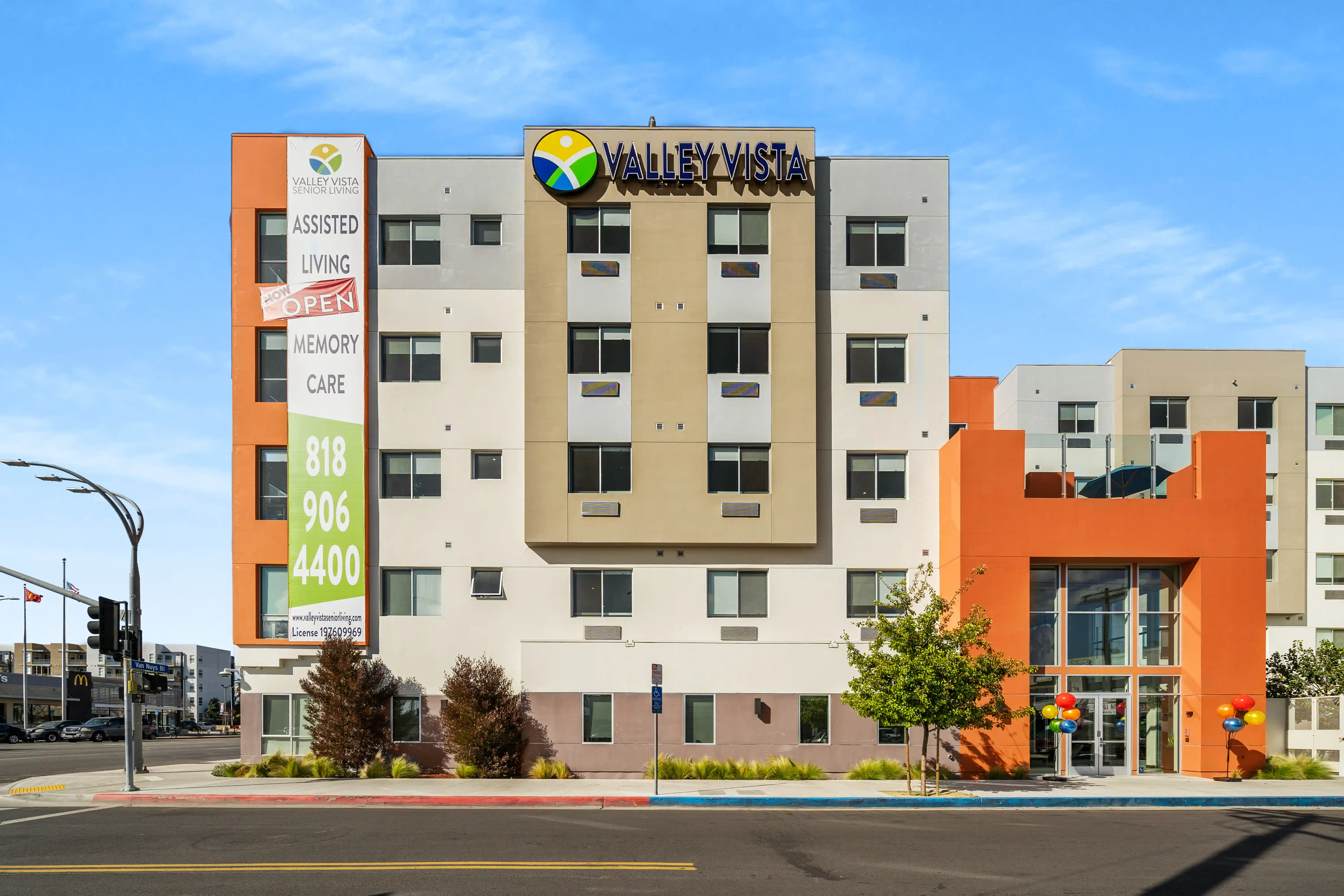
Lounge and courtyard view at Valley Vista Senior Living. Photography by Clearform Creative.
A senior living website gallery should help someone understand the building, residences, shared spaces, and grounds before a visit. Select images for the information they provide, then arrange them in a sequence that is easy to follow.
Begin with arrival and orientation
Show the exterior and entrance clearly. A close architectural detail may be visually appealing, but it does not tell a visitor where to arrive or what the building looks like as a whole.
Follow with an interior overview that introduces the character of the shared spaces. At Valley Vista Senior Living, our published cover photograph shows a lounge opening toward a courtyard. The image explains an indoor-outdoor relationship that would be harder to see in separate close-ups.
Use our senior living photography planning guide to turn the selection into a production brief. Compare the available photography and video production with the information your website needs to communicate.
Include the residence and everyday spaces
Choose representative residence photographs and label the layout accurately. Add dining, lounges, activity spaces, and grounds where they are part of the community's offering. Avoid repeating several similar lounge views while leaving the residence itself unexplained.
An image-selection worksheet can be simple:
| Visitor question | Image to consider |
|---|---|
| What does the building look like? | Exterior and arrival view |
| What does a residence look like? | Clearly labeled representative interior |
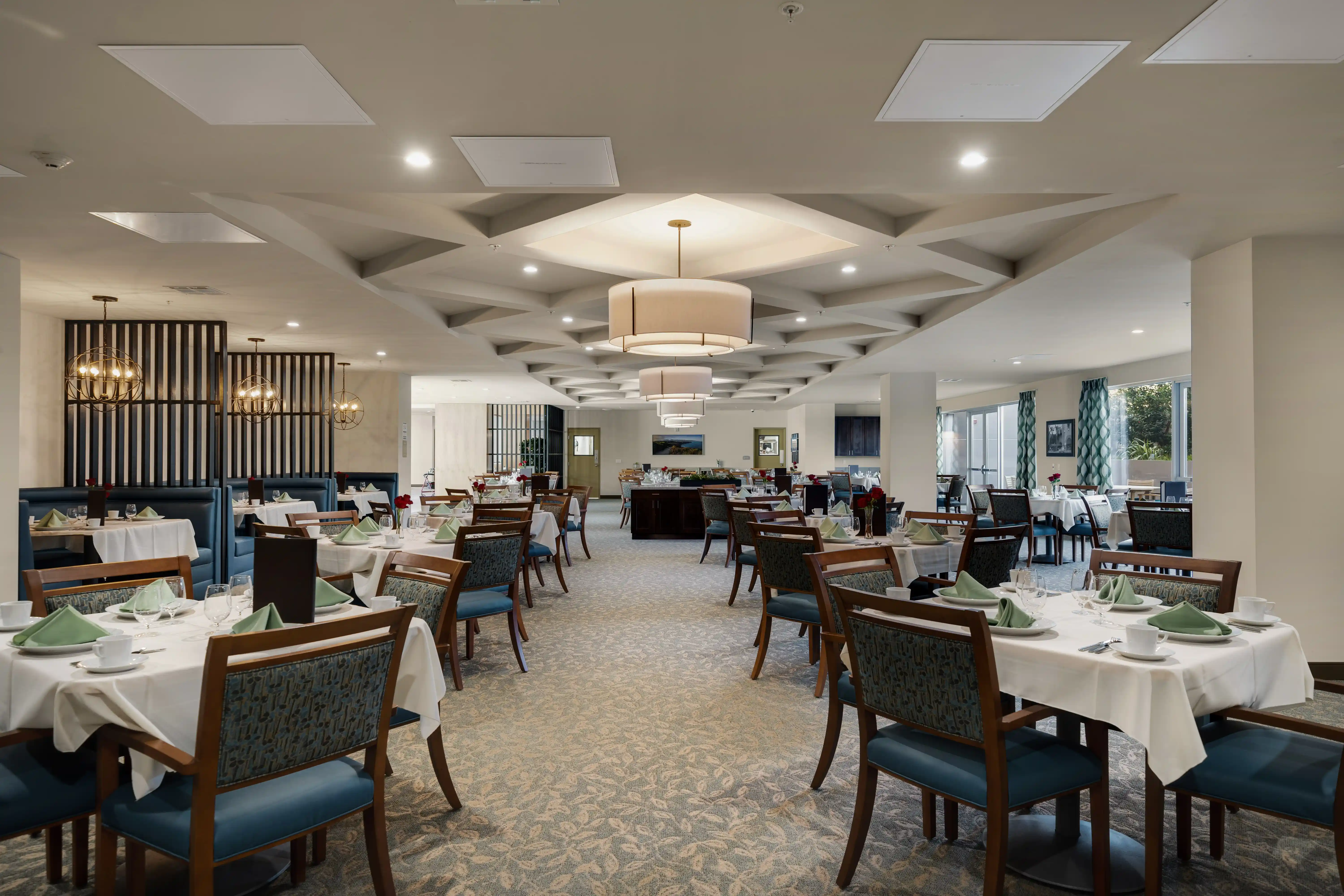
| Where are meals served? | Dining-room overview |
| Where can people spend time together? | Shared lounge or activity space |
| What outdoor spaces are available? | Courtyard, garden, or grounds where applicable |
Use the worksheet to find gaps in your current library before commissioning additional work.
Planning a shoot? Send us your property, priority spaces, and deadline so we can recommend a deliverable-based scope.
Select lifestyle images carefully
When approved lifestyle photography is available, use it to illustrate a specific activity or setting. Confirm that the image remains appropriate for its placement and permitted use.
Keep care and service descriptions in approved written content. A photograph of a welcoming interaction does not establish staffing ratios, clinical capabilities, or outcomes. The surrounding caption should describe what is actually shown.
Review captions, crops, and current accuracy
Check that desktop and phone crops preserve the important part of the image. Write alt text that describes the visible subject instead of repeating a list of search keywords. Keep captions clear about the property and space, and identify models or staged rooms where relevant.
Our Valley Vista work included photography and film for the community's grand-opening campaign. As a community changes after launch, its website library should be reviewed for renovated rooms, changed layouts, and outdated information.
Explore our Clearform Creative for more project examples.
Turn the gaps into a production brief
Our The Glades at ChampionsGate project shows another senior living media assignment with a different presentation purpose. Learn more about Clearform and check our production FAQs before sharing the brief.
Send your current website, the missing views, and the deadline. Contact Clearform to plan a useful senior living image library.


